



Status: Undetected
I wrote this cheat in Python half a year ago. I used some code snippets that I found, since I'm new to Python.
It was buggy as hell, but I fixed a lot of errors today and decided to release it here.
It uses pymem for reading and pygame for drawing.
This cheat is read only and never writes to the game.
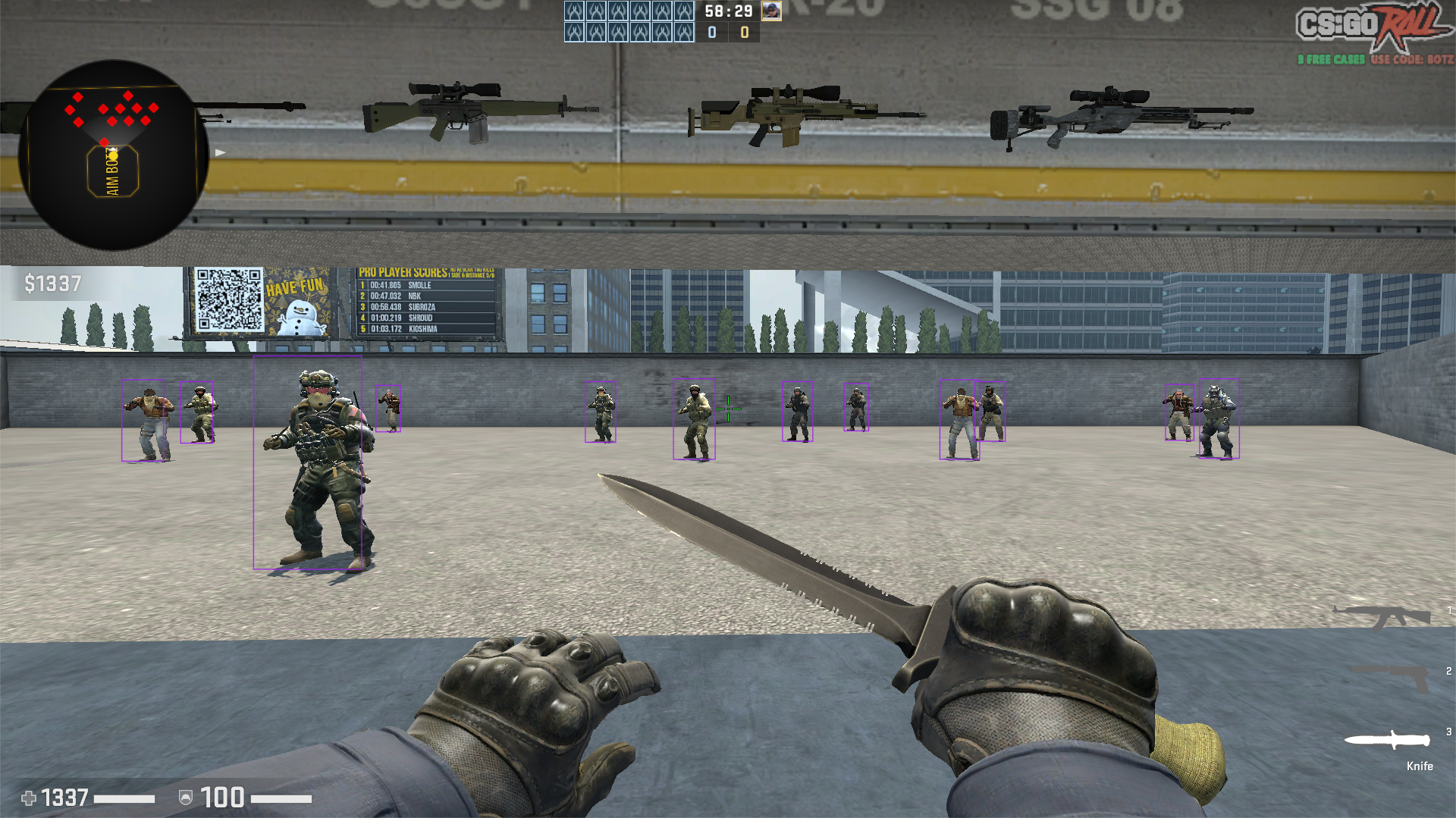
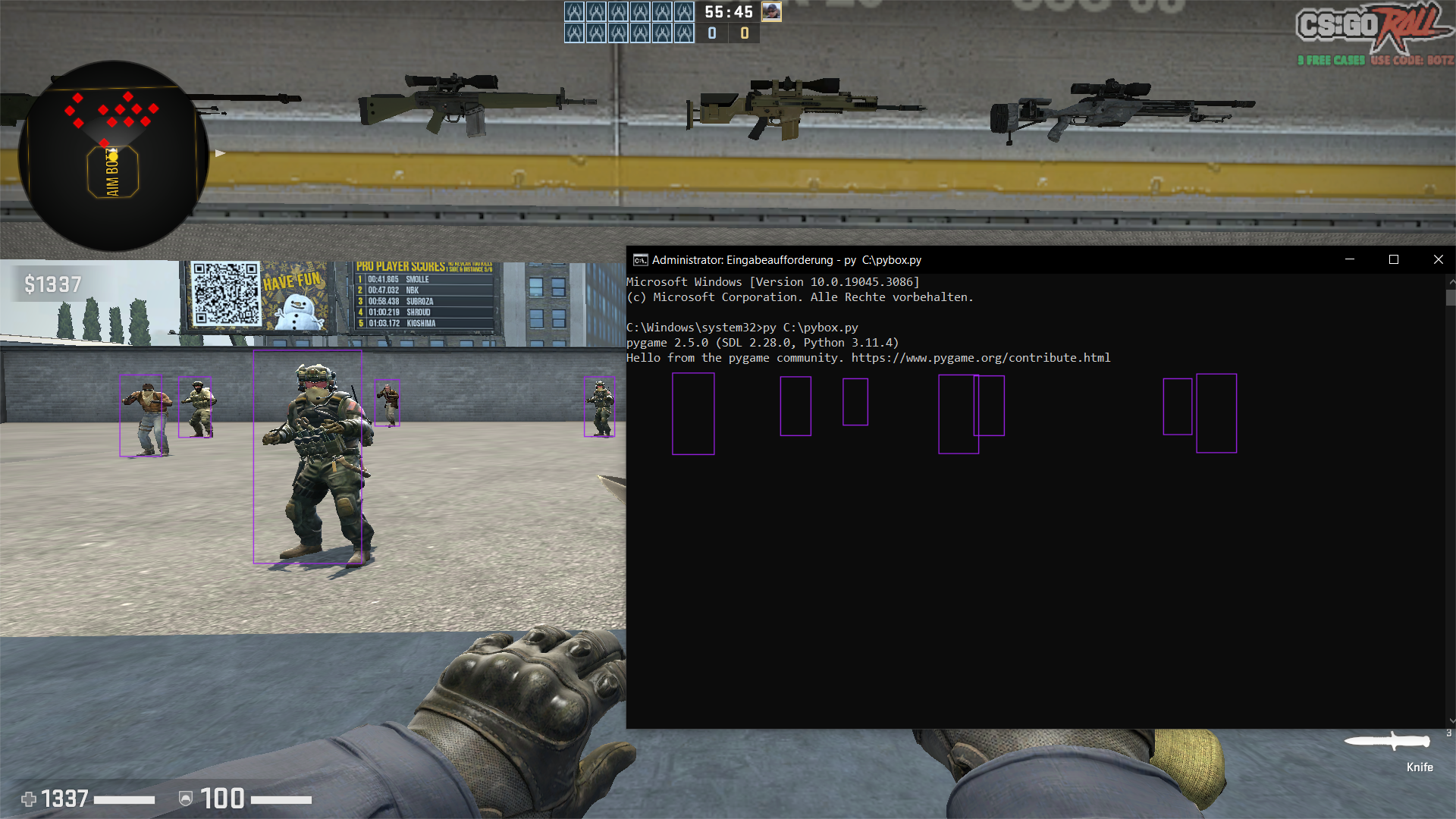
Pygame creates a clear overlay window which then draws the enemy boxes (which makes it streamproof).
I've used it for 3-4 months and never got banned. Three friends of mine are still using it till this day.
I played full legit, and my friends were playing obvious, still no bans.
Currently, it's undetected, hopefully forever, since it doesn't write to the game.
READ THIS AND DO IT STEP BY STEP SO YOU WONT ENCOUNTER ANY ERRORS
How to install:
- Download the latest Python version.
- Run "pip install Pymem" , "pip install pygame" , "pip install pywin32" inside cmd.
- Download PyBox, extract it and save pybox.py for example, inside C:\
- Start CSGO in fullscreen windowed, fullscreen isnt supported.
- Load into a match (dont run in inside the main menu, wait until ur fully loaded onto a server) and type "py C:\pybox.py" inside cmd as admin.
- Now you should be able to see enemy boxes. Have fun.
IF THE CHEAT CRASHES IN THE NEXT MATCH AFTER ONE MATCH, RESTART CSGO AND LAUNCH THE CHEAT WHEN YOU RECONECTED TO THE MATCH
Last edited by Knusperdude; 21st July 2023 at 09:18 PM.
I wrote this cheat in Python half a year ago. I used some code snippets that I found, since I'm new to Python.
It was buggy as hell, but I fixed a lot of errors today and decided to release it here.
It uses pymem for reading and pygame for drawing.
This cheat is read only and never writes to the game.
Pygame creates a clear overlay window which then draws the enemy boxes (which makes it streamproof).

| This image has been resized. Click this bar to view the full image. The original image is sized 1920x1079. |
|
| This image has been resized. Click this bar to view the full image. The original image is sized 1920x1080. |
I've used it for 3-4 months and never got banned. Three friends of mine are still using it till this day.
I played full legit, and my friends were playing obvious, still no bans.
Currently, it's undetected, hopefully forever, since it doesn't write to the game.
READ THIS AND DO IT STEP BY STEP SO YOU WONT ENCOUNTER ANY ERRORS
How to install:
- Download the latest Python version.
- Run "pip install Pymem" , "pip install pygame" , "pip install pywin32" inside cmd.
- Download PyBox, extract it and save pybox.py for example, inside C:\
- Start CSGO in fullscreen windowed, fullscreen isnt supported.
- Load into a match (dont run in inside the main menu, wait until ur fully loaded onto a server) and type "py C:\pybox.py" inside cmd as admin.
- Now you should be able to see enemy boxes. Have fun.
IF THE CHEAT CRASHES IN THE NEXT MATCH AFTER ONE MATCH, RESTART CSGO AND LAUNCH THE CHEAT WHEN YOU RECONECTED TO THE MATCH
Last edited by Knusperdude; 21st July 2023 at 09:18 PM.




